

How App configuration is applied
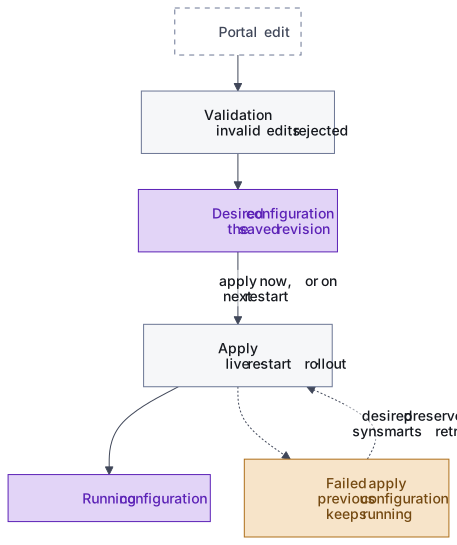
Each App has one platform-managed customer configuration. Portal changes update that desired configuration before synsmarts applies it to the running App.
Desired state and running state are different
Section titled “Desired state and running state are different”The desired configuration describes what should run. The running configuration describes what the App has applied so far.
During an active change, the desired revision can be newer than the running revision. The operation status tells you whether the new revision is pending, applying, complete, failed, or superseded.
Validation happens before apply
Section titled “Validation happens before apply”synsmarts validates:
- the configuration structure and supported schema version;
- resource allocations against the purchased shape;
- required service minimums;
- supported service settings and exact versions, including matching engine/version pairs;
- variable names and permitted secret references;
- App ownership and revision consistency.
An invalid edit is rejected before it changes the running App.
Revisions prevent lost updates
Section titled “Revisions prevent lost updates”An edit is based on the App revision you loaded. If another accepted change lands first, the stale edit is rejected rather than overwriting it. Load the latest revision, review the newer change, and repeat your edit.
Save and apply are separate choices
Section titled “Save and apply are separate choices”Some screens allow Save for next restart. This records the desired change without restarting services immediately. Apply now records the same desired change and starts the required App operation.
The saved desired revision remains authoritative while an apply is pending or being retried.
Applies differ in weight
Section titled “Applies differ in weight”How a change applies depends on what changed. Some service settings apply live, without a restart. Others restart the affected service, and a restart in the web request path serves a brief maintenance response instead of raw errors. Structural changes, such as resources or service versions, rebuild the App’s configuration and roll it out, and the new configuration goes live only when the rollout completes.
A failed apply leaves the App on its previous configuration
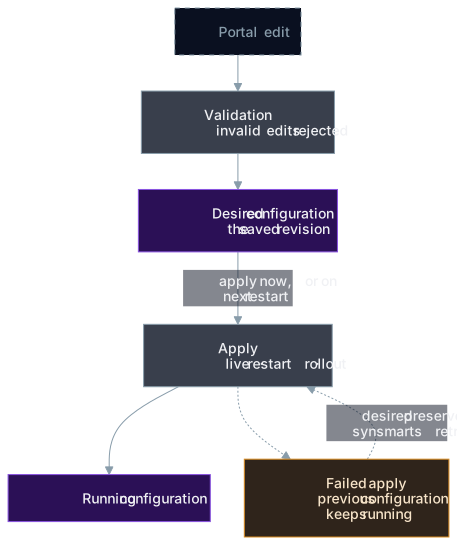
Section titled “A failed apply leaves the App on its previous configuration”The App stays on its previous configuration until a change fully applies. When an apply fails, the desired change is preserved, the App’s configuration status reports the failure and its reason, and synsmarts retries. A change that has already completed isn’t reverted by a later failure. If a failed state persists, get support.
A setting that restarts its service gets one more check: synsmarts reads the value back from the running service. When the service doesn’t report the requested value, synsmarts restores the previous settings as a new revision and reports the apply as failed with the reason. That change isn’t retried automatically, so review the reason before you save it again. A restart behind the maintenance page ends only when synsmarts confirms the service is healthy, whether the change succeeded or failed. If health can’t be confirmed, the page stays on and our team is alerted, because traffic sent to an unhealthy database would show visitors raw database errors.
OpenSearch memory and version changes are the exception, because the search index is derived data. Once the new node runs, the change waits for the catalog index to rebuild from the database. If that rebuild fails, the change reports failed while the new node stays in place: rolling back wouldn’t bring the old index back, since replacing the node already discarded it. The recovery is a rebuild, not a revert. On Magento 2.4.7 or later using Magento’s built-in OpenSearch search, the failed rebuild also pauses the catalog search indexer, because Magento’s cron would otherwise restart the same failing rebuild every minute; the next successful rebuild resumes it. Other Magento setups run a plain full rebuild that doesn’t pause the indexer. See Index rebuilds.
Customer-repository configuration is import input
Section titled “Customer-repository configuration is import input”A .synsmarts file in a connected customer repository can be imported through
an explicit workflow. It doesn’t become a continuously synchronized authority,
and later repository pushes don’t silently replace portal configuration.