

Manage a Team
Team settings, membership, ownership, and activity are separate workflows in the portal. Use the guide that matches the task you need to complete.
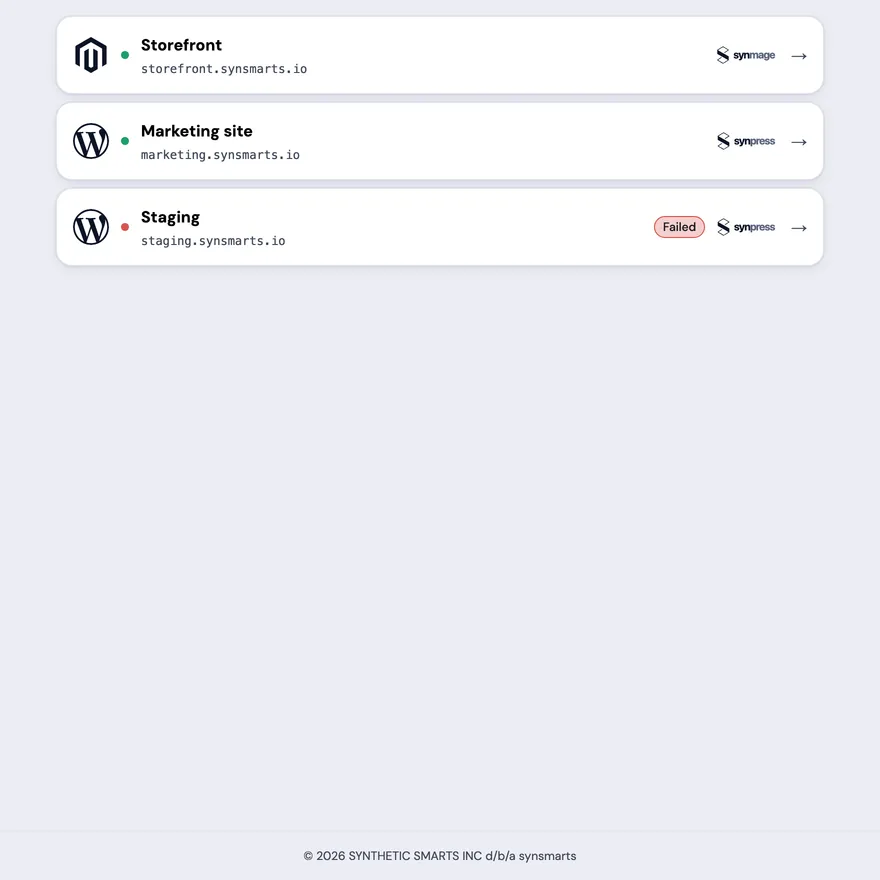
Open a Team to review its Apps before choosing a Team workflow. Each App row shows its name, hostname, product mark, and current status.
Create a Team
Section titled “Create a Team”Create a Team explains how to create a shared workspace and become its owner.
Manage access
Section titled “Manage access”Manage Team members covers invitations, roles, removals, pending invitations, and leaving a Team.
Change Team identity or lifecycle
Section titled “Change Team identity or lifecycle”Manage Team settings covers the Team name, avatar, leaving, archiving, and restoring archived access.
Transfer ownership
Section titled “Transfer ownership”Transfer Team ownership covers the outgoing-owner confirmation, conditional 2FA step, recipient acceptance, and 48-hour pending window.
Review activity
Section titled “Review activity”Review Team activity explains the
owner/admin audit view, its When, App, Who, Action, and Result
fields, resource-aware App labels, and the server-side filter for each field.
App, Who, Action, and Result use searchable multi-select filters.